 SexCamsVR
VR Cam Shows Explained
Reviewed by the SexCamsVR VR team — editorial policy
What a VR cam show is
A VR cam show is a live webcam performance you watch in stereoscopic 3D. Instead of a flat video window on a screen, the performer is filmed with a VR camera and appears in your headset with real depth and scale, as if they were in the room in front of you. Take away the 3D and it's an ordinary cam show: a live performer, streaming in real time, with chat and tipping running the whole time.
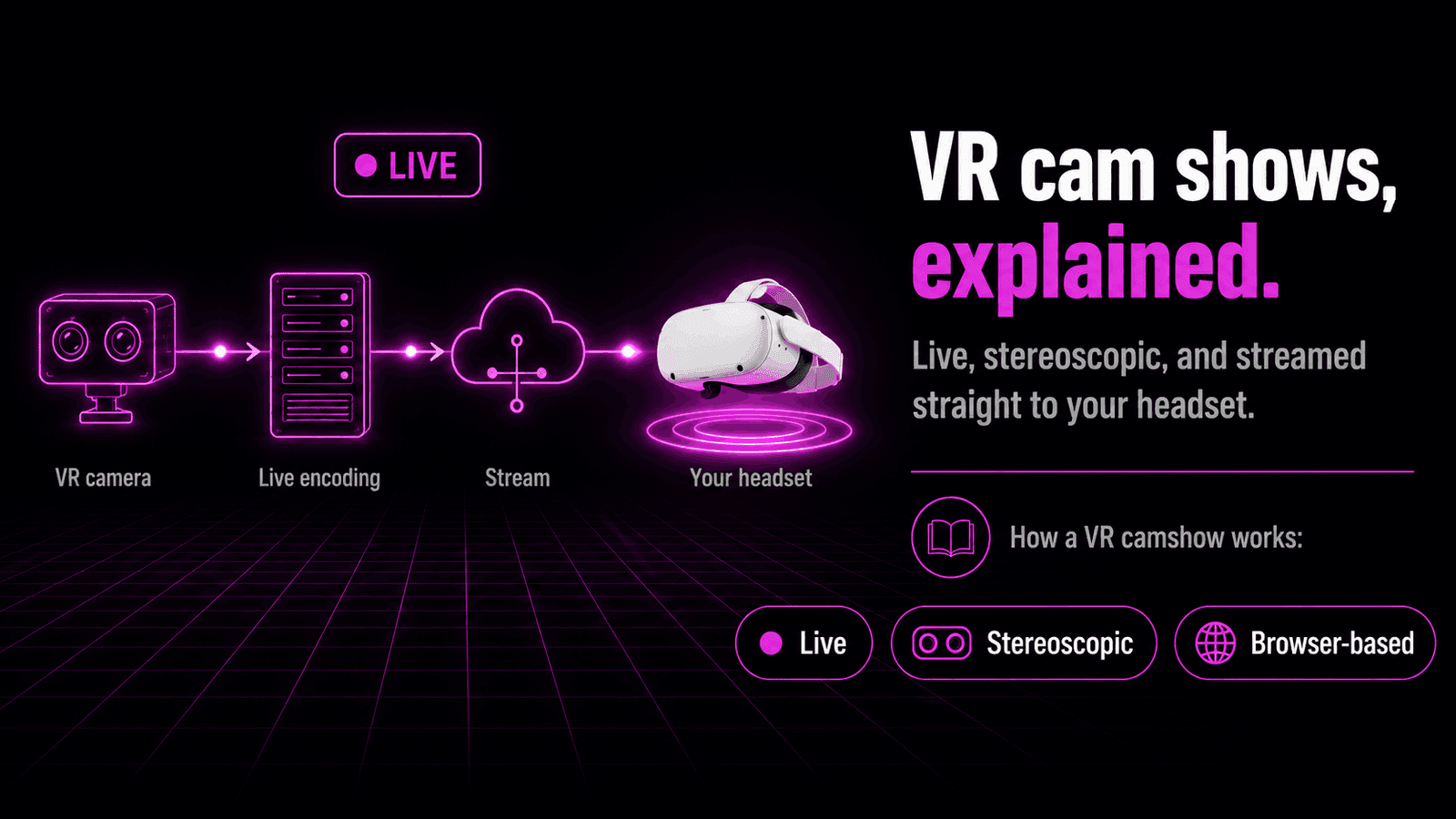
That's the one idea to hold onto. A VR camshow isn't a different kind of entertainment from a normal cam room — it's the same performance, filmed and delivered so your eyes read it as three-dimensional. The "VR" describes how you watch, not what the performer is doing.
If you're completely new to the format, our what are VR cams explainer starts from the beginning, and are VR cams free? covers the money side. No headset yet? Can you watch VR cams without a headset? covers the flat-screen route. This guide is about the show itself: what it is, how it gets to you, and what it's actually like once you're in.
Live, not pre-recorded
The word "cam" is the important part. A VR cam show is a live broadcast — the performer is streaming right now, reacting to the room, reading the chat and responding to tips as they come in. This is what separates live VR sex cams from the pre-recorded VR clips you'll find on video sites, which play the same every time no matter who's watching.
That live nature shapes everything about the experience:
- It's happening once. What you see is unfolding in real time, not replayed from a file.
- It responds to you. Tip or type, and the performer can react — something a recording can never do.
- It's unscripted. The room goes where the performer and viewers take it.
So when people ask whether VR camshows are live or recorded, the answer is built into the name. A cam show is live by definition. The VR part only changes how it looks. What you're watching is still something happening as it happens, with a real person on the other end.
Key point: A VR cam show is a real-time performance, not a video on demand. The stereoscopic 3D is the delivery format. The live, interactive broadcast is the thing itself.
How a VR camshow reaches your headset
Getting from a camera in the performer's room to depth in your headset takes a few steps, but none of them ask anything of you beyond opening a browser.
It starts at capture. A VR camera films the scene with two forward-facing lenses, recording a slightly different image for each eye. That's what your brain later reads as depth. The feed is filmed in VR180 — stereoscopic 180°, a forward-facing 3D field of view rather than a full 360° sphere, which is the standard for live cams because it puts all the image quality where the performer actually is.
From there the stream travels the same way any live video does, and lands in your headset's web browser. Live VR cams play directly in that browser using WebXR, the standard for immersive content on the web. There's no app to install and no PC in the loop:
- You open the site in your headset's browser.
- You pick a live room from the grid.
- You tap the player's "Enter VR" control and drop into the immersive view.
One thing worth being clear about: whether a given room is actually broadcasting in VR is reported by the platform's provider feed rather than something we verify stream-by-stream on our side. When the feed marks a room as VR, that's the flag that switches on the immersive view. For those steps in order on any headset, see our step-by-step guide to watching VR cams, and for the full playback walkthrough on the most common headset, how to watch VR cams on the Meta Quest 3.
Note: WebXR is the browser API that surrounds the video, not the video itself. The performer's feed still streams like normal live video — WebXR is what lets the browser render it in 3D and place it around you.
What a VR cam show looks like from the inside
Here's what actually happens when you put the headset on and enter VR.
The room grid wraps around you in 3D. Rather than scrolling a flat page, you browse by looking around — turn your head, or click and drag, to move through the available rooms. Open one, and the performer appears in front of you with real depth and scale. This is the moment that surprises people: the sense that someone is present in the space with you, rather than framed inside a rectangle.
Chat and tipping work exactly like they do in a 2D show. You type messages and send tips through the platform's normal interface — the interaction runs on the same controls a flat-screen viewer uses. The VR part is purely about how the video reaches your eyes. A live VR sex cam is a viewer-side experience in that sense: the depth is on your end, and the performer is broadcasting to everyone in the room at once.
Most players give you a VR / 2D toggle, so you can drop back to a flat window whenever you want and re-enter immersive view later. That's handy for browsing quickly, then switching to full VR once you've found a room worth settling into.
Good to know: "VR" here describes how you watch, not extra hardware the performer needs on their end. You interact through the normal on-screen controls, and you can leave immersive mode any time without leaving the show.
Public rooms, private shows and everything between
VR cam shows come in a few forms, and the difference is mostly about who the performer is playing to.
A public room is the open broadcast. The performer streams to everyone watching at once, anyone can drop in, and it's typically free to watch. This is where most people spend their time, and it's the default when you open a room from the grid.
A private show is a one-on-one session you take a performer into, away from the public room. It runs on the platform's normal token or credit system, and it's just you and the performer. Between the two sit the in-between formats some platforms offer — group shows, ticketed shows and similar — where a set of viewers shares a session together.
| Format | Who's watching | Typical cost |
|---|---|---|
| Public room | Everyone in the room | Usually free to watch |
| Group / ticket show | A set of paying viewers | Token or ticket based |
| Private show | Just you | Per-session / token based |
Pricing for the paid formats varies from one platform and provider to the next, so there's no single rate to quote — the structure, though, is consistent. Watching a public room is generally free; taking a performer somewhere more private is where tokens come in. Our are VR cams free? guide breaks that split down in full.
Key point: The format changes who the show is for, not how the VR works. A private VR cam show carries the same VR180 stereoscopic feed as a public one — you're paying for exclusivity, not a better picture.
What makes a good VR cam show
Not every VR camshow lands the same way, and once you've watched a few you start to notice what separates a great one from a flat one. Some of it is the performer; some of it is technical.
A genuine stereoscopic feed. The whole appeal is depth, so a properly captured VR180 stereo stream is what makes the performer feel present rather than pasted onto a curved screen. When the 3D is right, scale and closeness read naturally.
A stable, well-lit stream. Immersive video is bandwidth-heavy because each eye receives its own image, so a strong connection matters more than it does for flat video. Good lighting on the performer's end helps too — the camera has more to work with, and the image holds together better in motion.
A performer who works the format. VR rewards proximity and eye contact in a way a flat cam doesn't. Performers who understand that — who use the depth rather than sitting where a 2D camera would frame them — make the format feel like it's doing something.
Your own setup. A comfortable headset and a solid Wi-Fi signal do a lot of quiet work. If the picture buffers or softens, that's usually the connection rather than the show. Favor a strong 5 GHz or 6 GHz signal, and if you're still choosing hardware, our best VR headset for live cams guide and best browser for VR cams cover what plays these streams best on each headset. On Quest specifically, the built-in browser supports WebXR natively, which keeps setup simple.
Put those together and a VR cam show stops being a novelty and starts being the reason to keep the headset on. The best rooms use the depth, hold a clean stream, and let the live, interactive part carry the rest.
Ready to see one for yourself? Browse our live VR cam models or check who's most popular right now.
Frequently asked questions
What is a VR cam show?
A VR cam show is a live webcam performance filmed with a VR camera and streamed in stereoscopic 3D, so the performer appears with real depth in your headset instead of on a flat screen. Everything else works like a normal cam show, with live chat and tipping.
How is a VR cam show different from a normal cam show?
The performance is the same — it's live, and you can chat and tip. What changes is how the video reaches your eyes. A VR camshow is filmed in VR180 3D and watched in a headset, so the performer has depth and scale rather than being a flat window on a screen.
Are VR camshows live or pre-recorded?
Live. A VR cam show is a real-time broadcast, the same as a standard cam room — the performer is streaming right now and reacting to the chat. Pre-recorded VR clips exist elsewhere, but a cam show by definition is happening as you watch.
What does a live VR sex cam actually look like in a headset?
When you enter VR, the room grid wraps around you in 3D and you browse by looking around. Open a room and the performer appears in front of you at real depth and scale, as if they were in the room, while chat and tipping run through the normal on-screen controls.
Do VR cam shows work on any headset?
They work on any WebXR-capable headset — Meta Quest, Apple Vision Pro through Safari, or Pico using the Wolvic browser. The show plays in the headset's web browser, so there's no app to install and no gaming PC required.
How long does a typical VR cam show last?
There's no set length. A public room may run for a long open-ended session, while a private show lasts as long as you and the performer keep it going. Duration is up to the performer and the viewer, not a fixed slot, so it varies from one room to the next.