 SexCamsVR
Are VR Cams Free?
Reviewed by the SexCamsVR VR team — editorial policy
The short answer
Yes — plenty of VR cams are free to watch. Public rooms are open, usually without even an account, and you can drop into a live VR cam show and stay as long as you like without spending anything. That covers most of what people picture when they imagine watching cams: an open room, a live performer, and the immersive VR180 view in your headset.
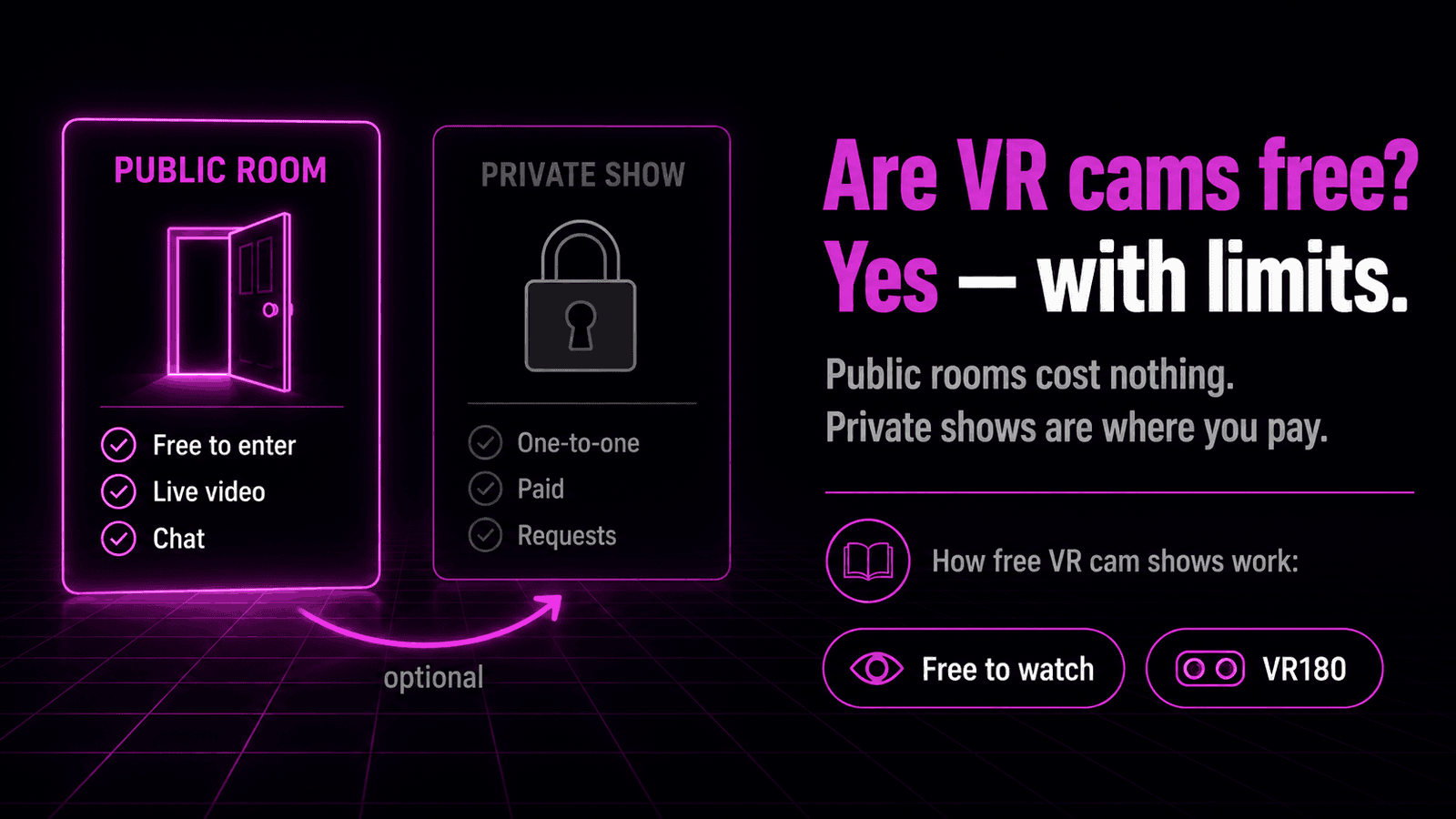
The catch is that "free" describes one part of the model, not all of it. The public room is free. The moment you want to tip, chat your way into a performer's attention, or pull them into a one-on-one private show, you're into the platform's token system — and that's where money enters. So free VR cams are real, they're just the open front door rather than the whole house.
If the format itself is new to you, our explainer on what VR cams are covers the basics first, and VR cam shows explained walks through the show itself. This guide is about the money side: what's free, what isn't, and where the line sits.
What "free" actually means (public room vs private show)
Cam platforms almost all run on the same split, and once you see it the pricing stops being confusing.
A public room is the open broadcast. Anyone can walk in and watch. It's free, it's usually accountless, and the performer is streaming to everyone in the room at once. This is where free VR sex cams live — an open door, a live feed, no meter running.
A private show is a one-on-one session you pay for. You take the performer out of the public room and into a session that's just the two of you, and that runs on the platform's normal per-session or token pricing. Nobody else is watching.
Between those two sits tipping. In a free public room you can watch for nothing, but tipping is how you interact. It's how you nudge a performer and get a response back. Tips are optional and they spend tokens, so a free room can still cost you the moment you decide to take part rather than just watch.
Key point: The video feed in a public room is free. Tokens buy interaction and privacy, not access to the picture. Watching quietly costs nothing; taking part is where the token system kicks in.
Here's the split in one view:
| Free public room | Paid private show | |
|---|---|---|
| Cost to watch | Free | Per-session / token cost |
| Account needed | Usually no | Yes |
| Who else is watching | Everyone in the room | Just you |
| Interaction | Tipping (optional, uses tokens) | One-on-one, included |
| VR180 image | Same feed | Same feed |
What you get in a free VR cam room
A free public room isn't a stripped-down preview. It's the real VR cam show — the same live performer, the same immersive view, streamed to your headset in stereoscopic VR180. Whether a given room is actually broadcasting in VR is reported by the platform's provider feed rather than something verified stream-by-stream on our side; when the feed marks a room as VR, that's what switches on the immersive view.
In a free room you can:
- Watch the live show in full VR180, with the performer appearing at real depth in front of you rather than on a flat screen.
- Browse other rooms without paying — the whole grid of free VR cam girls and other performers is open to look through.
- Read the chat and see the room's activity, even if you haven't registered.
- Switch between VR and 2D using the player's toggle, so you can drop back to a flat window and re-enter immersive view whenever you want.
What the free room doesn't give you is the performer to yourself. You're one of many people watching, and the show runs to the room as a whole. If that's all you want — to watch VR camshows immersively without a running tab — the free public room genuinely delivers it. The immersion isn't held back for paying viewers; the VR180 depth is right there in the open room.
Good to know: Free rooms carry the same stereoscopic feed as paid sessions. You're not watching a lower-quality version to tempt you into paying — the image quality depends on the stream and your connection, not your wallet.
When you have to pay
The line is easy to draw: you pay when you want the performer's attention or their privacy. Everything up to that point is generally free.
Money comes into it in three familiar ways:
- Tipping. Optional, and how you interact in a public room. Tips run on tokens you buy in advance.
- Private shows. A one-on-one session, taken out of the public room. This is the main paid experience.
- Premium features. Some platforms gate extras — spy mode, recordings, cam-to-cam — behind tokens or a membership.
Pricing for all of this varies from one platform and provider to the next, so there's no single rate to quote. The structure, though, is consistent: buy tokens, then spend them on tipping or private time. Nothing forces you across that line. You can watch free VR cams indefinitely and never buy a token — you just stay in the public rooms, watching rather than directing.
Note: We don't quote token rates or per-minute pricing here because they change by platform and provider. The reliable takeaway is the shape of it: public rooms free, interaction and privacy paid.
Free VR cams in your headset — what actually changes
Here's the part that surprises people: going from a flat cam site to free VR cams doesn't cost anything extra. The VR version isn't a paid tier. If a room is broadcasting in VR, you watch it in VR — for the same price as watching it flat, which in a public room is nothing.
That's because the "VR" part is a viewing experience, not a subscription. Live VR cams play directly in your headset's web browser using WebXR, the browser standard for immersive content. There's no app to install, no PC in the loop, and no separate VR paywall. You open the site in your headset, pick a free room, and switch to immersive view. Our step-by-step guide to watching VR cams walks through that sequence on any headset.
What you need is simply a WebXR-capable headset:
- Meta Quest 3 / Quest 3S — the built-in Meta Quest Browser supports WebXR natively, so free VR rooms enter immersive mode with no extra software. These are the most affordable way in.
- Apple Vision Pro — Safari on visionOS 2 and later handles WebXR once it's enabled.
- Pico 4 — works, though its built-in browser's WebXR support is limited, so the free Wolvic browser makes immersive playback more reliable.
If you're still choosing hardware, our best VR headset for live cams guide compares the options, and best browser for VR cams breaks down which browser to use on each. Once you've got a Quest, how to watch VR cams on the Meta Quest 3 walks through the playback details. No headset yet? You can watch on a flat screen too.
Key point: VR viewing itself is free. The headset is the only real cost, and once you own one, free public rooms play immersively at no extra charge over watching them flat.
Getting the most out of free VR rooms
You can get a lot of mileage out of the free side alone. A few things help.
Sort for who's live. Online performers are the ones actually broadcasting, so start there. Offline rooms are still listed so you can bookmark favorites and come back when they go live — useful, but there's nothing to watch in them right now.
Get your connection right before you blame the picture. Immersive video is bandwidth-heavy because each eye receives its own image. A free room on a weak signal can buffer or soften, which reads like a quality problem but is really a network one. Favor a strong 5 GHz or 6 GHz Wi-Fi connection over a crowded 2.4 GHz one.
Use the VR/2D toggle freely. Browsing the grid is often quicker in a flat window; drop into VR once you've opened a room worth watching. Nothing about switching costs anything.
Register only when you want to take part. If watching is enough, you can stay accountless. Sign up at the point you want to tip, chat, or go private — not before.
Treat the free public rooms as the default and paying as an opt-in, and the model is straightforward: watch as much as you like for nothing, spend only when you want interaction or a room to yourself.
Ready to see it for yourself? Browse our live VR cam models or check who's most popular right now.
Frequently asked questions
Are VR cams really free?
Yes. Many public VR rooms are free to watch, often without an account. What costs money is the extra stuff layered on top — tipping a performer, or taking them into a one-on-one private show — and that runs on the platform's normal token or credit system.
Do I need an account to watch free VR cams?
Usually not for browsing and watching public rooms. You'll need to register once you want to chat, tip, or go private, since those actions are tied to a token balance. Watching a public room quietly generally doesn't require signing up.
Do I need a Quest headset to watch?
No. Any WebXR-capable headset works — Meta Quest, Apple Vision Pro through Safari, or Pico using the Wolvic browser. The Quest 3 and Quest 3S are the most affordable starting points, but the free rooms are the same whichever headset you use.
Is a free VR cam show the same quality as a paid one?
The picture is. A public room and a private show carry the same VR180 stereoscopic feed, so image quality comes down to the stream and your connection, not whether you've paid. What money buys is the performer's undivided attention in private, not a sharper image.
Can I watch free VR cams without a headset?
Yes, but you lose the depth. The same room plays as a flat 2D video in any ordinary browser. You see the show; you just don't get the stereoscopic sense of the performer being in the room with you, which is the whole point of watching in VR.
Do free VR cam rooms use a lot of data?
Immersive video is heavier than a flat stream because each eye gets its own image, so a free room still moves a fair amount of data over your connection. A strong 5 GHz or 6 GHz Wi-Fi signal keeps it smooth. Free to watch doesn't mean light on bandwidth.